AI Receptionist for WordPress That Syncs with Salesforce
Discover how an AI receptionist plugin for WordPress streamlines real-time lead capture and syncs with Salesforce, without any coding. Learn the key features, benefits, and what to look for when choosing your system.
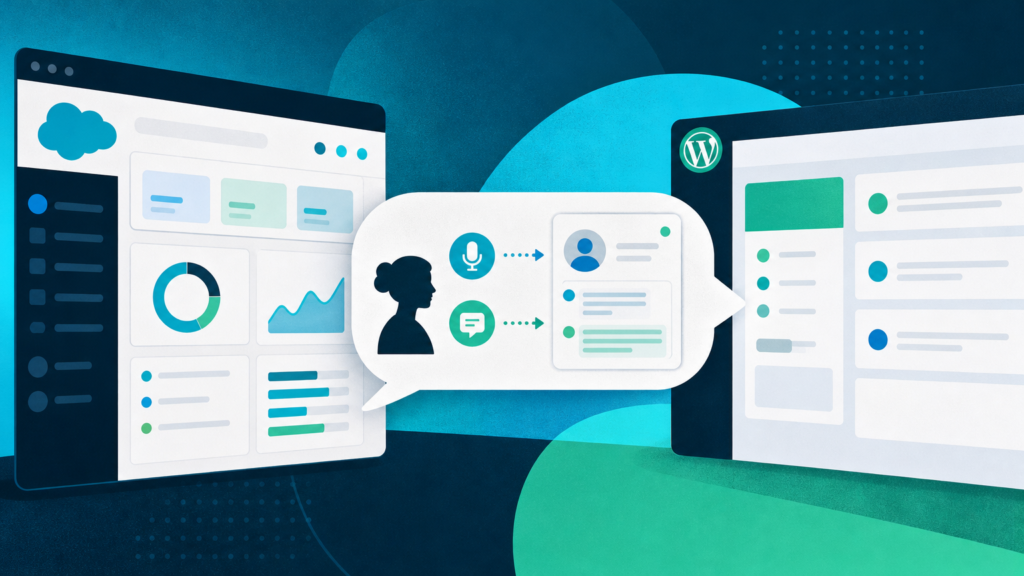
If you run a WordPress site for a service business and you use Salesforce to manage leads, you can now have an AI receptionist on your website that answers questions, captures inquiries in real time, and creates Salesforce leads — all without touching code or leaving your WordPress dashboard. After reading this post, you’ll know exactly how these AI receptionists work with Salesforce, which features matter for your business, and which pitfalls to avoid if you need a no-hassle, WordPress-first setup.
What Is an AI Receptionist That Connects to Salesforce?
An AI receptionist on your site is a software agent that handles first contact with website visitors — answering common questions by voice or text, gathering contact details, and moving genuine leads into your CRM before your team has a chance to miss them. When such an AI connects to Salesforce, every qualified inquiry becomes a complete lead record: name, phone or email, what the person was looking for, and often a transcript of the whole exchange. There’s no copying and pasting, no juggling different dashboards, and no waiting until someone sorts the morning inbox. The right system collects, summarizes, and routes leads to Salesforce immediately as they come in.
This sounds like basic automation. The difference is in how the AI “receptionist” hands over context. You’re not just getting a phone number; you’re getting a threaded, human-style conversation, delivered in a format your sales or intake team can act on. When this lives inside WordPress, and is entirely handled by a plugin, the time from “visitor lands on your site” to “real lead appears in Salesforce” drops to minutes at any hour. You never punch in API keys or mess with Zapier-type bridges.
How WordPress AI Receptionists Integrate with Salesforce
Embedding an AI receptionist on WordPress that syncs to Salesforce isn’t just possible — it’s now purpose-built for non-coders who manage their own sites. Here’s what a WordPress-native integration looks like when done properly:
- No code needed. Everything happens from the plugin settings inside your WordPress dashboard. You log in with Salesforce, connect once, and that’s it.
- Automatic field mapping. The plugin creates lead records in Salesforce using the info from the AI chat: visitor’s name, their contact info, what services they asked about, and a summary of the conversation.
- Conversational recaps. Alongside leads, your team gets a transcript and a suggested follow-up so they can reach out while the inquiry is still “warm.”
- Noise filtering. Just as important, these systems only push real leads to Salesforce — people who gave a name plus at least one solid contact method. Browsers and half-finished chats aren’t added, so no extra CRM cleanup later.
- Immediate handoff. Once a chat ends, the lead appears in Salesforce right away. This way, you can respond before a potential customer finds your competitor’s website instead.
A Step-by-Step Workflow (WordPress + AI Receptionist + Salesforce)
- Install the plugin from your WordPress dashboard. Setup takes less than five minutes. You never see a line of code.
- Connect your Salesforce account with a login. There’s no need for manual API keys, developer consoles, or external connectors.
- Customize your greeting and intake fields (what do you want to ask: Name, Email/Phone, Service Needed, etc.).
- Go live: the AI receptionist greets visitors as they land on your site, in 57+ languages. It uses your published service content to answer their questions.
- Lead capture and sync: when a visitor identifies themselves and their intent, the AI collects those details and immediately creates a Salesforce Lead with conversation context and a transcript.
- Follow up promptly: your inbox gets a summary. Your team can move fast, even after-hours.
Features to Expect from an AI Receptionist with Salesforce Integration
Not all integrations are created equal. Here’s a practical comparison of the crucial features to look for in a WordPress AI receptionist that connects to Salesforce, especially if you value speed, clarity, and minimal technical fuss:
| Feature | What It Does | Why It Matters |
|---|---|---|
| Native WordPress Plugin | Runs entirely from your WP dashboard | Start fast, no developer needed |
| No-Code Salesforce Connection | Connects by login, not API keys | Saves time, no technical errors |
| Voice and Text Chat | Lets visitors talk or type | Captures everyone, not just people who want to type |
| Multilingual Support | Handles >50 languages; recaps in English | Makes every visitor feel welcome without extra staff workload |
| Automated Lead Filtering | Only pushes qualified contacts | Keeps your CRM clean |
| Transcript & Summary Delivery | Sends email recaps and saves them to Salesforce | Your team acts fast with full context |
| Built-In Blog Generation | AI writes posts based on your actual services | Saves hours on marketing and improves SEO |
The standout extras that most WordPress plugins miss? Multilingual visitor support (with English recaps for staff), and the ability to generate blog content that is grounded in your business rather than generic filler. That content, when handled well, even links only to the live pages on your site and uses your existing categories. You won’t find broken links or pointless tags showing up in your blog.
For businesses running late shifts or serving clients who check in after hours — think veterinary clinics, property managers, and cleaning services — missed contacts are expensive. Small and midsized businesses lose over $160,000 a year in revenue from missed calls alone. Even more is lost due to slow or no responses. Websites today are the first “front desk” for service customers, whether or not a human picks up.
Salesforce Integration: What Actually Syncs and How
Some people hear “AI receptionist with Salesforce” and picture a chatbot that just pushes emails or raw transcripts. A modern system, though, does much more granular work with Salesforce records:
- Creates a new Lead only when the contact details meet real-people standards: name and a working phone number or email.
- Sets Lead Source to the AI receptionist, so you always know which conversations came from digital reception and which came from phone, form, or manual entry.
- Attaches the full transcript and a summary, with the visitor’s questions and the AI’s answers. This arms your team with details to follow up intelligently — no more “Who is this, and what do they want?” syndrome.
- Ends duplicate entry. If the same visitor comes back within a certain window and continues the conversation, the AI can link or update the existing lead. Level of update support varies by plugin — check for this if it’s essential to your workflow.
- Disconnect anytime from within WordPress. Your data stays under your control. Some plugins promise a “direct” connection but pass your data through external servers. If data residency or compliance matters at all, this is your cue to ask clarifying questions.
Full record updates to existing Salesforce entries during live calls are rare in WordPress plugins. Most create new leads at the end of a conversation, not live-sync updates or task assignments mid-chat. The practical upshot is that you get all the information your staff needs, organized the same way as leads from phone calls, but without needing to hand off to a developer or pay for extra middleware.
Should You Use a WordPress AI Receptionist That Syncs with Salesforce?
If keeping track of live website leads is a struggle — especially evenings, weekends, or high-call times — an AI receptionist connected to your CRM is both a force multiplier and a safety net. Despite traditional phone setups, a recent report found that 28% of inbound business calls still go unanswered, and 51% of companies miss at least 10 calls monthly. That’s not just “bad luck” — it’s a process gap, and automation exists to seal it.
But this only works if the technology fits your stack. For service businesses that use WordPress, want hands-off operations, and rely on Salesforce, look for:
- Native WordPress plugins, not “copy this code widget” or “connect via Zapier.”
- No API keys required and a direct CRM login.
- Full conversation summaries that arrive along with new leads, not in a separate platform.
- Filtering that keeps your Salesforce clean (just humans, not bots and half-finished chats).
- Multilingual support if your market spans languages, with all recaps to staff in ‘plain English.’
- Bonus: extra productivity features like AI writing for blog posts, so your online presence doesn’t rest on the one person who still enjoys writing service descriptions all weekend.
Larger operations or multi-location businesses can layer this with additional rules. For example, you might route leads to local teams. For more details on employing chat AI across franchise locations, see how WordPress chatbots help multi-location businesses.
How to Get Started
There’s little risk in moving to an AI receptionist tied into Salesforce — provided you can trial it without contract or setup cost. Most competitive plugins now offer at least a 30-day free trial. If you want to be sure it actually moves the needle on lead capture, it’s smart to test out a free trial of an AI chat plugin first, to measure the difference in real conversations and follow-up rates. Block 20 minutes, install straight from your WordPress dashboard, and see where qualified leads land when your phone lines are off or your inbox is full.
If you want to avoid missed contacts and turn every real inquiry into a Salesforce lead with no extra work, try a conversion-focused AI receptionist that’s built for WordPress, speaks your visitors’ language, and offers real no-code CRM integration. You can start — free — with SiteStaffr’s AI receptionist WordPress plugin demo for service businesses.