How a Chat Recap Email Keeps You Ahead of New Leads
Discover how an automatic lead recap email from chat boosts response speed and lead conversion for service businesses. Learn the real benefits and avoid common mistakes.

If you’re running a service business, you already know how fast web visitors vanish when they don’t get a clear answer — or even a basic reply. An automatic lead recap email from chat promises to change that by putting every conversation, question, and contact detail right in your inbox the instant someone finishes chatting. But if you’re just starting to look at these, the real value — and what can go wrong — isn’t always obvious.
Let’s clear up some of the most common myths about what these recap emails do, how they keep businesses ahead of new leads, and where an automatic system makes the biggest difference.
Misconceptions About Chat Recaps and Lead Response
“I Don’t Need an Automatic Recap — I Can Read Chat Transcripts When I Have Time”
This one misses the entire point. Yes, you could open your chat dashboard, scroll through conversations, and hope nothing urgent got buried. But here’s what’s at stake: 79% of US consumers will choose the brand that responds fastest to their inquiry (Invoca via GrowthStackPulse). If a visitor finishes chatting with your website and the details land in your inbox instantly — their questions, their name, their need — you can reach out while the conversation is still fresh in the lead’s mind. Wait an hour, and odds are that opportunity is already cold, or gone to a competitor who answered first.
An automatic lead recap email from chat cuts through clutter and delay by putting a lead’s context in a place you’ll actually see and act on. For busy staff, it’s the difference between “I’ll check that later” and “That’s a hot lead I can reply to right now.”
“It Doesn’t Matter How Fast the Recap Email Is Sent”
Speed is not optional here — it changes results. Over half (56%) of consumers expect a response to a form submission within an hour, but only 36% get one that quick (growthstackpulse.com). Web chat creates an even narrower window, because the visitor knows they were just actively engaging with your business in real time. The closer the recap email lands to the end of a chat, the easier it is to keep the momentum, follow up with context, and win the next step.
I’ve seen service businesses—clinics, repair shops, agencies—miss out simply because their recaps or notifications went out hours later, long after the lead moved on. Think of the recap email less as a summary and more as your live handoff. If you want to see what missing a web chat really costs, this resource breaks it down.
“A Chat Recap Email Is Just a Copy of the Transcript”
This is a common misunderstanding, and it’s a problem. A transcript-only recap forces you to sift through every message, all the “hello” and “let me check that for you” lines, just to locate the one thing the visitor actually wants. Worse, team members may overlook what matters — the intent, urgency, or specific ask — because it’s hidden in lines of friendly chat.
An effective recap email isn’t just a transcription. It pulls out what’s actionable: who reached out, what they need, contact info, and any next steps the chat captured. The best systems highlight questions, summarize the visitor’s purpose, and even suggest what to do next. For an example of how AI can streamline this handoff and automate those next steps, here’s what that process can look like. The right format saves your staff time, helps you qualify leads faster, and reduces follow-through errors.
Mistakes in Structuring and Using Lead Recaps
“Recap Emails Are One-Size-Fits-All”
One of the biggest advantages of an AI-powered or smart recap system is its ability to adjust the summary based on context. A dental practice gets different kinds of web inquiries than a property manager or HVAC contractor. Recaps should reflect the service-specific details that matter — such as appointment type, service address, or insurance questions — not just generic chat text. Systems that are grounded in your business automatically filter and structure these details, so your team can make decisions or route the inquiry appropriately on first open.
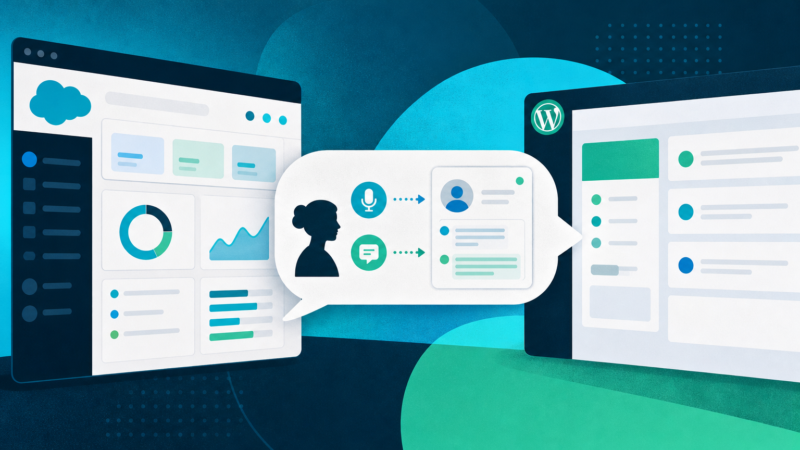
Multilingual clients or those chatting by voice? It’s not enough for a recap to just echo the visitor’s words. You want English summaries (or your team’s preferred language) regardless of how the customer reached out. Anything less creates friction and introduces the risk of missed detail. For home service contractors dealing with Spanish-speaking homeowners or for clinics in diverse communities, a system that ties every chat — voice or text, any language — back to a uniform, readable email recap is non-negotiable. See how this works specifically for home services here.
“If I Have a CRM, I Don’t Need Email Recaps”
It’s tempting to think that once your CRM is set up, recaps become redundant. That’s true if (and only if) your entire team lives in the CRM all day — which is rarely the case for small and mid-sized service businesses. Staff might be in transit, heads-down on appointments, or bouncing between platforms. Email is universal and immediate, working as a backstop so no lead slips through the cracks while still getting logged in your systems for later. In fact, the best approach is a hybrid: use recaps to accelerate your initial outreach, and sync the critical information to your CRM for ongoing tracking.
“Automatic Lead Recap Emails Are Impersonal or Sloppy”
This is a fair concern: poorly done automation feels like spam or a generic blast. But the difference-maker is how the recap is generated and how well it reflects your brand’s tone and content. Smart systems can summarize with warmth, highlight real questions and requests, and personalize the message with the visitor’s name and inquiry (all while filtering out noise and never introducing competitor links or off-topic details). If you’re in a field where after-hours responses matter — like veterinary clinics or auto repair — having a system that keeps the recap focused and friendly can mean more appreciative first-touch replies. For technical details and customization possibilities, you can read more in the platform’s feature overview.
Winning With AI Summaries and Real-Time Recap Email
“AI-Generated Chat Recaps Can’t Qualify Leads Effectively”
The right AI-driven chat summary does much more than regurgitate what was typed. By analyzing the conversation for qualifying signals — service area, urgency, requested service, or appointment date — it can tag leads, flag high-priority needs, and suggest immediate action steps. This is how AI recaps go beyond old-school manual review: faster handoff, smarter priority sorting, and clearer next steps, especially for the kinds of high-volume, high-urgency businesses where follow-up speed and specificity decide who wins the job.
A well-built summary will not only extract the “what” and “who,” but help staff see the “why care” at a glance. Lead response isn’t just about speed; it’s about relevance. Recap emails that shortcut to this decision point make it easy to call, text, or email the lead — or hand off to the right team member — in time to matter. If your team handles client requests outside traditional office hours, you might also find specific insights for your industry, such as for auto repair or veterinary practices, especially useful.
“Every Chat Should Trigger a Lead Recap”
It’s natural to want complete visibility, but blindly recapping every chat (even those with no contact info or meaningful inquiry) quickly drowns your team in noise. The better approach is to qualify which chats warrant a lead recap: did the visitor leave their name and at least one way to reach them? Did the conversation reveal genuine interest or intent? Recap systems that ask these questions before sending mean your inbox — and CRM — contain only actionable next steps, not a graveyard of half-finished chats and anonymous greetings. For a breakdown of how active, 24/7 lead capture really works (and why it pays off), compare approaches in this post.
FAQ
- What is an automatic lead recap email from chat?
-
It’s an email sent to your business the moment a website chat (text or voice) concludes with a real lead. The recap summarizes the conversation, highlights key details like what the visitor asked, provides their contact information, and preps your team for a quick, relevant follow-up. These emails bridge the gap between website conversations and real-world action, so no inquiry falls through the cracks.
- How quickly should a chat recap email be sent to maximize response?
-
Recap emails should go out immediately — within seconds to a minute of chat end — to match visitor expectations and catch them while they’re still attentive. over half of consumers expect rapid follow-up (growthstackpulse.com), and the brand that responds fastest has a measurable edge in winning the business.
- What makes a recap email effective for following up on chat leads?
-
An effective recap email flags who reached out, what they want, their contact details, and any key context in a digestible format. It should separate casual chats from genuine leads, surface next steps, and use clear, human-friendly language to support rapid outreach. Extra points for including conversation transcripts as reference, but the summary belongs at the top.
- How do AI-generated chat summaries accelerate lead qualification?
-
AI-generated summaries pull out the parts of the conversation that matter: service sought, urgency, preferred contact method, location, and any decision signals. By doing this instantly (and consistently), they allow staff to triage and prioritize outreach efforts without delay, dramatically reducing time from lead inquiry to first response. The result: more leads contacted while they’re still deciding, fewer lost opportunities.
- Can recap emails help with after-hours or multilingual leads?
-
Absolutely. Effective chat recap systems translate voice and text inquiries into standardized summaries, often in English for staff, even if the visitor used another language. This lets businesses in diverse communities or serving after-hours clients see and act on every qualified lead, regardless of how or when they reached out.
If your business can’t afford to miss qualified web chat leads—or be stuck playing catch-up hours later—it’s time to make a system that turns every chat into an automatic, actionable recap in your inbox. See how SiteStaffr can put every new conversation at your fingertips before your competition even picks up the phone.