Veterinary Answering Service and Website Chat for Clinics
Learn how veterinary answering service and website chat solutions can help clinics capture leads, triage emergencies, and boost client satisfaction 24/7.
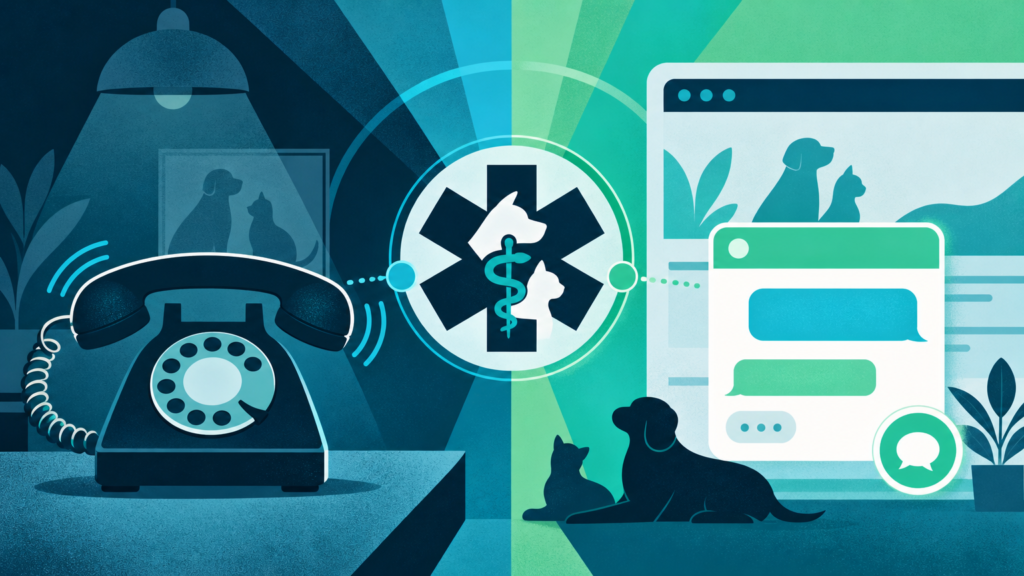
If you’re evaluating veterinary answering service solutions for your clinic, you’re probably looking for crystal-clear answers. What options exist (live, AI, hybrid)? What does it actually cost? How are emergencies handled, and how do these services fit with your clinic’s website? By the end of this post, you’ll be able to spot the right approach for your practice—using available facts, practical criteria, and a step-by-step framework for adding 24/7 answering and live website chat.
Why Answering Service and Website Chat Matter for Veterinary Clinics
Veterinary clinics face a unique challenge: pet owners don’t abide by business hours, and emergencies can’t wait in a voicemail queue. Yet too few clinics have modern ways for clients to reach out, especially after hours or during peak periods. Consider this: in 2026, only 12.7% of US veterinary websites include a live chat widget, and nearly one in five offers none of the four direct online contact routes. That’s revenue left on the table and stressed pet owners bouncing to competitors who simply answer first.
The core problem is coverage. Phones ring off the hook during busy stretches. Web queries pile up unattended, and staff can’t possibly triage everything in real time—especially after the doors lock for the night. That’s where answering services and automated website chat step in. The question is: which type, and where does each fit?
Veterinary Answering Service Models: Live, AI, and Hybrid
The world of answering services for vet clinics splits into three models:
| Model | Who Handles Calls/Chats | Key Benefits | Potential Drawbacks |
|---|---|---|---|
| Live (Human) | Trained operator(s) | Empathy, complex triage, high trust in urgent cases | Expensive, not always instant, potential hold times |
| AI (Automated) | AI agent (voice/text) | 24/7, instant response, scalable, affordable | Limits with subtlety/edge cases, perceived warmth varies |
| Hybrid | AI handles basics, humans escalate urgent or complex cases | Best of both: speed + empathy, controls cost | Integration complexity, requires clear process |
Live answering makes sense when every call demands empathy, nuance, and the ability to triage emergencies. But much of a typical clinic’s call volume is routine: hours, appointment requests, what-to-do-next after an incident, or where to find forms on the site. AI handles these fast, any hour of day, at a fraction of the cost. Hybrid models use automation as the default, then escalate truly urgent calls to a live operator or a direct on-call vet, so no emergencies slip through the cracks. For the website, AI excels at always-on instant chat. Live human chat is rare in this price bracket due to staffing costs.
What It Costs: Typical Veterinary Answering Service Pricing
Pricing for answering services is all over the map. It’s driven by how much time is handled by people versus automation. Here’s the straightforward reality:
- Live human answering is billed per minute, per call, or as a monthly bundle. Expect monthly costs to start around low hundreds of dollars for basic coverage. This can climb to several hundred (or more) for higher volume, after-hours coverage, or bilingual/biosecurity-trained staff.
- AI-based services with chat or voice generally use monthly subscriptions, sometimes with a cap on voice/chat minutes. They usually cost less than live answering and scale by usage.
- Hybrid models combine both, often customizing their prices based on business hours, call volume, escalation protocols, and which calls are routed to people versus AI.
If your clinic only needs off-hours backup or overflow call handling, know that most providers can tailor plans to fit. That versatility is one of the strongest reasons clinics are moving away from old-school voicemail and toward more integrated solutions.
Peak Times and Typical Veterinary Clinic Call Volume
Most small to medium clinics field dozens of calls during weekday business hours. There are clear spikes around opening, lunch, and closing. Mondays and post-holiday periods see the heaviest influx. Calls thin out during the night, but emergencies (especially poisoning, trauma, or urgent care) can arrive at any hour. Website chat, meanwhile, tends to fill a gap after hours and during lunch/shift changes—times when no one is available to answer the phone live.
A common pitfall: assuming calls after 6pm aren’t worth capturing. But for a pet owner deciding between clinics while Fido is limping or vomiting, whoever responds—via chat, callback, or text—usually gets the booking. That’s why clinics relying only on phone coverage during the day are missing a chunk of leads their website could capture.
If you want to dig into reasons why missed website chats cost clinics real revenue, see Why Missing a Web Chat Costs Service Businesses Real Money.
How Modern Answering and Chat Services Triage Emergencies Reliably
The gut worry for most veterinarians: “Can any system, especially AI, really spot and escalate a true emergency?” The answer is: it depends on setup—details matter.
- Live operators follow scripts set by your clinic. They can use judgment, but if a caller describes specific symptoms on the triage list, the operator routes them according to your instructions. Examples include paging the on-call vet, sending to emergency hospital, or creating a high-priority callback.
- AI and chat systems can be trained on your clinic’s own protocols, using lists of red-flag symptoms or phrases. Well-built systems never try to diagnose. Instead, they escalate any mention of urgent symptoms or unclear answers to a direct line, text alert, or on-call professional.
- Hybrid systems route the routine to automation. But the moment a chat or call includes emergency keywords, it’s kicked over to live staff or triggers your pre-set alert process.
No system is perfect, but modern approaches now offer escalation based on what’s actually written on your site. Your own words, not some generic checklist, define what gets bumped up. That’s a critical improvement over the boilerplate scripts used by older call centers.
If you want to see how next-step suggestions work after every visitor chat in an AI-driven system, the process is covered in detail at Can AI Suggest Action Steps After Every Visitor Chat?.
How to Add 24/7 Answering and Website Chat to Your Veterinary Clinic
- Start with your true needs. Do you just need after-hours backup, or is daytime overflow (lunch, busy Mondays) a bigger problem? What percentage of inquiries are emergencies versus general?
- Decide which contact channels matter. Phones are essential for some clients, but chat fills growing demand for instant web help from mobile devices—consider solutions that cover both.
- Shortlist by integration, not hype. Look for options that work natively on your website, ideally as a plugin for your platform (e.g., WordPress). This avoids copy-paste “web chat” tools that take leads off-site or require manual setup. For full coverage, the ideal tool manages both chat and voice. It should auto-capture contact details, and recap leads fast—so you can respond while the lead is still warm.
- Verify customization and escalation options. Make sure scripts, escalation triggers (for emergencies), and brand voice are under your control—not locked behind jargon-heavy settings or setup fees.
- Test before you commit. Use free trials where available. Check how fast recaps, transcripts, and suggested action steps come through when a real client reaches out.
If you’re a multi-service provider (e.g., pet boarding, grooming, wellness), you’ll want a platform that handles these categories cleanly and doesn’t get tripped up when a client asks cross-service questions.
For a full list of critical features—from AI-driven voice and chat to Salesforce integration and blog writing that keeps your site visible—see the Features page.
Why Website Chat for Veterinary Clinics Is Still a Huge Untapped Advantage
Only a minority of clinics (12.7% as of 2026) have a live chat widget on their website. That’s surprising, given how many pet owners would rather type than call when they’re anxious. Web chat is also the go-to for those reaching out late in the evening, multi-tasking at work, or contacting several clinics at once to check appointment availability.
The right chat tool does more than answer questions—it captures contact info and intent, delivers summaries in real time, and ensures that even chats in different languages are followed up in English. This isn’t just a “nice to have”—it’s an untapped lever for more case volume, better client experiences, and a steadier appointment book.
Other service businesses face the same gap. See how this works for other verticals (like professional services or home services) who need reliable web chat and lead capture, too.
The Smart Clinic’s Next Step
The bottom line: veterinary answering services and website chat aren’t “either/or”—they’re two sides of making your clinic reachable and responsive, 24/7. The smartest move is choosing a platform orchestrated for your workflow. It covers both voice and chat, documents leads instantly, triages emergencies on your terms, and lives inside your own website for full control.
SiteStaffr is an AI receptionist for WordPress sites: it answers your website visitors by voice and text around the clock, captures each lead, and emails you a recap. See how it works for veterinary clinics, then try it free for 30 days with no credit card. After the trial, the Free plan keeps AI text chat on your site for up to 50 conversations a month.