Voice vs Text Chat: Which Works Better on WordPress?
Compare voice and text chat widgets for WordPress with a focus on real engagement, lead capture, accessibility, and multilingual support. Discover best-fit plugins for service businesses.
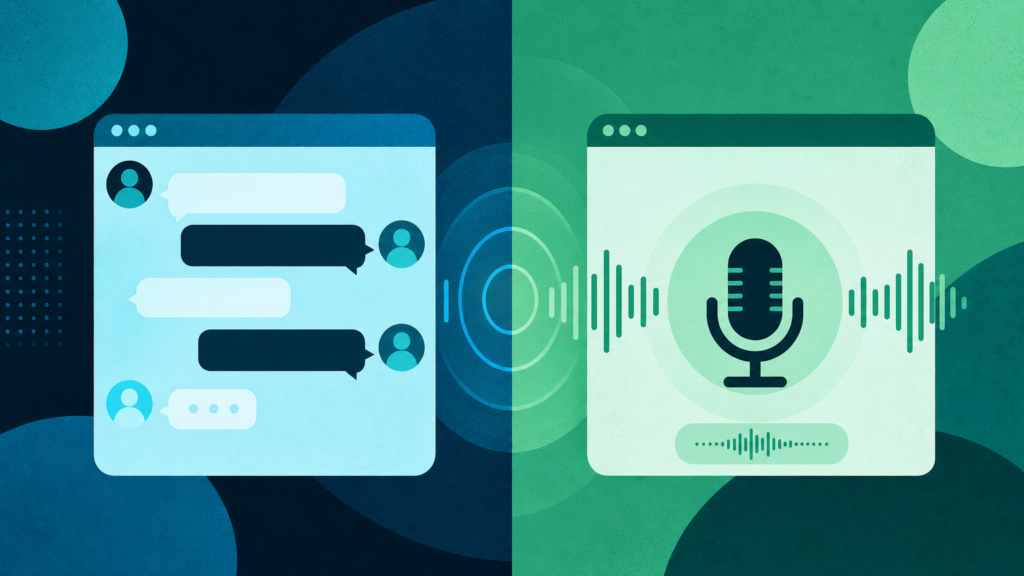
If you’re considering whether voice or text chat is the better way to greet website visitors on your WordPress site, here’s the short answer: both work—but they work differently. A voice chat widget on WordPress brings natural conversation and accessibility to the table. AI-powered text chat still delivers the quick, frictionless interaction many visitors expect. Choosing the right mix depends on real visitor behavior, the stakes of a missed lead, and your team’s actual bandwidth to follow up. Let’s get specific about what’s really at stake, the hidden snags in rollout, which features matter most, and how to judge the options out there.
The Real Cost: What Happens When You Miss Visitors
A service business lives and dies by leads—and online, you rarely get a second chance. When a potential client lands on your site, especially outside business hours or when your phone lines are busy, even a few minutes without a response can cost you an appointment, a sale, or a recurring customer. The classic scenario: the visitor has a question that determines whether they book with you or someone else. No live answer, no conversion. These moments can happen at 11 p.m., during lunch, or on weekends. They don’t care how busy you are in the back office.
Text chat widgets have been a first step for WordPress sites. But for many businesses—think health care, home services, or legal—a voice-enabled chat widget captures those nuanced, personal exchanges that convert complex or urgent inquiries. That’s why the discussion isn’t text or voice, but how each supports the real business of keeping your pipeline healthy. This is true whether you’re in health & medical, home services, or auto repair shops.
Why This Problem Persists—and Common Workarounds Fail
If missing leads is obviously bad, why haven’t plugins fixed it for good? Partly, it’s the tradeoff between fast setup and deep site knowledge. Many AI chat widgets built for WordPress can’t pull details from your actual services, FAQs, or blog posts. As a result, answers sound generic or downright wrong. Even those that scan your content can struggle with site structure quirks or service pages with overlapping details.
There’s also the “AI for the sake of AI” trap. Some plugins promise both voice and text, but the technology isn’t always integrated into one seamless widget. Sometimes it requires toggling between modes, with extra clicks nobody enjoys. And setup shouldn’t demand pasting API keys, registering with a third-party SaaS, or wrangling shortcodes. That’s not just a technical nuisance; it’s a friction point for busy practice managers or office admins who want something that works right out of the box.
Language is another classic sticking point. Many businesses serve a community that isn’t monolingual. If your AI voice or text chat agent can only answer in English, you’re losing trust before the conversation even starts. For more detail on feature requirements for broad engagement, see What to Look for in a WordPress Plugin for Multilingual Chat.
And then there’s the half-solutions: setting up autoresponder emails, call-back forms, or after-hours voicemail. These catch some stragglers—sure—but they don’t answer questions in real time. The delay is enough for visitors to bounce to a competitor.
Voice vs. Text Chat Widgets: How Do They Actually Engage Visitors?
The core advantage of a text chat widget is speed and universal familiarity. Virtually anyone visiting your WordPress site is comfortable typing out a question. They get a quick, direct answer and can multi-task while the chat happens. These widgets are lightweight by design and rarely slow your site. They are easy to deploy and customize. English, Spanish, French—most modern plugins cover several major languages, but not always beyond the basics.
Voice chat, however, brings a different set of benefits. For visitors with accessibility needs, those using mobile devices on the go, or anyone who just prefers to talk rather than type, an AI voice agent can replicate the feel of calling the office—without the awkward hold times or missed connections. Voice widgets can capture subtle intent that’s hard to express in a single typed sentence. Compared to a phone call, the visitor doesn’t have to wait in line or navigate a phone tree.
Technically, adding a voice chat widget is heavier. It uses more browser resources and needs fast, real-time server interaction. Today’s voice widgets can answer out loud, right in the browser, using what is on your own site, which goes well beyond simple call connection or push-to-talk playback. Plugins that offer voice and text in one window also show that visitors want both options, and the better ones handle many languages without a separate widget for each.
But which method actually performs better for engagement and lead capture? There’s no single “winner.” For straightforward Q&A—confirming business hours, requesting a callback, checking insurance acceptance—text chat is unbeaten for speed. For complex, high-trust, or high-emotion inquiries (such as booking a medical procedure or explaining a problem with home services), an AI voice chat widget encourages a deeper, more natural exchange. Hybrid plugins allow visitors to switch between modes. This approach is increasingly the best practice. These experiences are only as strong as their content grounding: the agent needs to accurately use your service details, bios, and even policy pages to avoid robotic or misleading answers.
Voice and Text Widgets: Performance and Accessibility Considerations
Performance implications are real but generally manageable. Text-only plugins add almost no load. Voice widgets, however, mean browser microphones, audio processing, and sometimes increased latency if the server isn’t well-tuned. The difference is noticeable mostly on older devices or when your site is already heavily loaded. For WordPress sites that value accessibility, the extra resource use is almost always worth it—but it’s something to test after installation, especially during high-traffic periods.
What Does an Effective Voice/Text Chat Widget Really Need?
It’s easy to get lost in plugin feature lists. The non-negotiables start with setup: can you install directly from WordPress, or are API keys, extra accounts, or code snippets necessary? Next, is the agent actually using your content—or just canned responses and generic information?
Lead capture must be more than just an email form. The best widgets automatically grab names, phone numbers, emails, and the clear intent of each visitor, then send that to your team while the opportunity is still warm. Multilingual support is now a must for growing businesses. A widget should handle at least the top languages in your market, for both text and voice. Some advanced plugins deliver a single English-language recap regardless of the language the visitor used—which streamlines your follow-up workflow.
Hybrid capability—in one widget, not cobbled together—matters too. Switching from voice to text (or vice versa) should be seamless. AI models that understand and answer based on the business’s service pages, about section, and FAQs are essential for credibility. Integrations for automatic lead creation in your CRM make sure customer data never falls through the cracks. For regulated industries or privacy-conscious practices, confirm how session data is stored, where transcripts live, and whether any information is sent to external servers.
Accessibility shouldn’t be left as an afterthought. Voice agents should be usable by screen readers and support keyboard navigation. Text chat should work in high-contrast mode and allow adequate resizing. For more on matching features to client needs across industries, explore the full feature set here.
Finally, consider content fatigue and the need for fresh engagement. Blog-writing capabilities that draw from your service descriptions and internal links can support ongoing SEO and customer education. This also saves your staff from an endless publishing treadmill.
How to Evaluate Voice and Text Chat Plugin Options for WordPress
Skip product lists. Instead, compare plugins by the following criteria:
- Installation: Can you activate and configure in minutes from your WordPress dashboard—or do you need to register, copy tokens, or involve your developer?
- True hybrid: Does the widget genuinely support both voice and text, in the same window, for every visitor? Can you mix modes in a single conversation?
- Content grounding: Will it actually draw answers from your specific service, about, FAQ, and compliance content? How often does it require manual training or page syncing?
- Lead capture and follow-up: Does it collect actionable info and deliver summaries your team can use immediately—by email, directly into your CRM, or both?
- Multilingual support: How many languages does it handle for both modes? Are recaps unified for English-speaking staff?
- Accessibility and performance: Will the widget work for disabled visitors, old browsers, and busy sites without dragging performance?
- Security and compliance: Where is conversational data stored, and who sees it? Is there a way to erase, export, or manage stored interactions?
- Setup help and real support: If you get stuck, is there a team or resource to walk you through, or are you on your own?
Plugins differ on all of these fronts. Not all questions will matter equally for every business. For most service businesses, the difference between capturing one more lead per week or missing it is the difference between coasting and compounding. If you’re not sure, there’s little risk in trying a free trial, as explained in Should Your Business Try an AI Chat Plugin Free Trial First?.
Bottom line: text chat delivers speed and familiarity, but voice chat unlocks deeper engagement and greater accessibility—both should be easy for visitors to choose in a single, unified WordPress widget. As you weigh options, keep your real bottlenecks in focus: follow-up lag, multilingual drop-offs, and visitors who’d rather talk than type. The right plugin will quietly handle the busy moments, convert more opportunities, and work the way your team does. If you’re ready to put these principles to work, see how SiteStaffr delivers a unified AI voice and text chat solution designed specifically for service businesses on WordPress.