Can AI Suggest Action Steps After Every Visitor Chat?
Discover how AI-powered chat recap and next step suggestions can help your service business respond faster and convert more leads by automating actionable follow-ups.
If you want to capture more leads from your website and never miss the next move after a visitor reaches out, you need more than just a transcript of the chat. AI can now generate a clear summary of every conversation along with a well-chosen next step for your team—instantly and around the clock. After reading this post, you’ll know exactly what a practical chat recap and next step suggestion should look like for service businesses. You’ll also see how fast the process really is, and how these AI tools actually make their recommendations. This isn’t theory; it’s a way to stop letting website interest slip away because a team member missed a chat or forgot a follow-up.
What a Useful Chat Recap and Next Step Suggestion Looks Like
A strong chat recap should be more than a polite summary. For a business, it needs to hit three essential elements every time:
- Who reached out (name and contact details, or as much as they gave)
- What they wanted (reason for inquiry, product, service, or pain point in their own words)
- What to do next (the immediate action that best matches their request and your workflow)
The next step isn’t always obvious from the transcript. For example, if someone asks about pricing after a long question about features, the action might be “send pricing deck and call to qualify.” For service businesses—from law firms to insurance agencies—getting clear, automated direction is what lets you move fast. The best AI-driven recaps strip out small talk and repetition. They focus on intent and hand off only the meaningful details. The action item (suggested follow-up) should be specific—book a demo, send a quote, escalate to a manager—not generic like “contact lead.” That’s the whole point of using AI here: taking in the context and moving things forward, not just repeating back what was said.
How Fast Are Chat Recaps and Next Steps Generated?
The pace matters. The value of a next step drops every minute a lead sits in someone’s inbox. The good news is, for website chat, AI can generate a recap and next suggestion within seconds after the visitor leaves the chat. There’s no queuing behind meetings, no waiting for a daily digest, and no human backlog. Right as the conversation ends, the AI pulls together the transcript, filters out noise, distills the actual question or need, and tees up the next action. This is much faster than traditional human-staffed chat. Team members might take hours or a whole workday to send over notes.
This speed is a big edge for service industries that work off inbound traffic. If a company is listed in local results for “emergency AC repair” and gets a chat at 9:00 p.m., being able to reach out (with context in hand) before the competitor ever sees the message makes a clear difference in who wins the business. For more on what enables this responsiveness, the features overview highlights instant recap delivery and real-time recommendations.
Common Next Steps Businesses Want—And How AI Suggests Them
Every industry has its own nuances, but most service businesses fall back on a handful of repeatable next steps after a website inquiry:
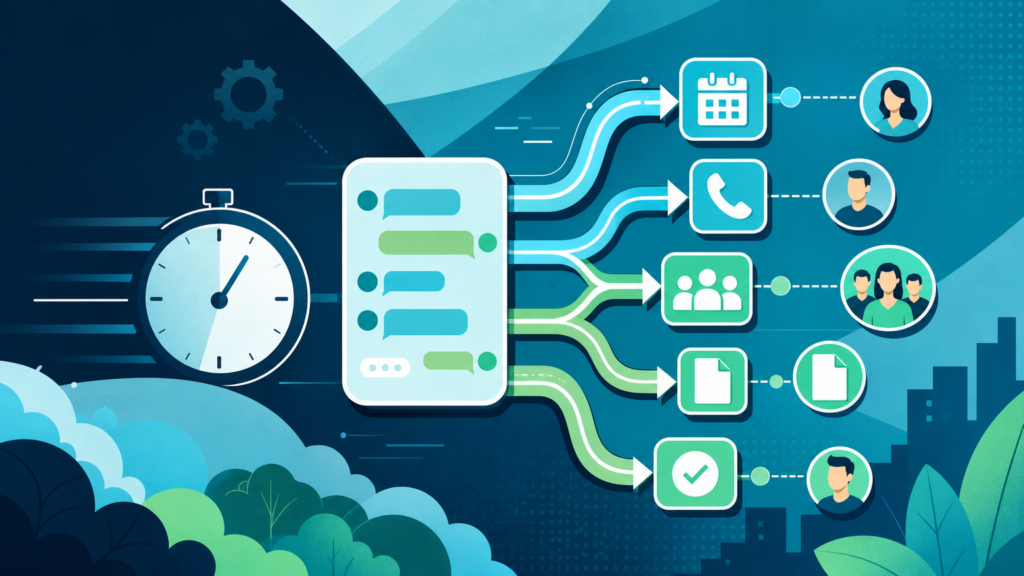
- Schedule a call, consult, or demo
- Send a pricing sheet or estimate
- Route to specialized staff (like sales or technical lead)
- Book an appointment
- Fire off an initial information packet or FAQ
- Escalate urgent or sensitive issues to management
AI tools decide what action to propose by scanning the conversation for cues—what the visitor specifically asked, keywords tied to known workflows (like “book,” “schedule,” “quote,” “emergency”), and whether they’ve given qualifying info (such as a full name and real contact details).
Intent plays a massive role. If the system detects buying signals—“How soon can we start?”, “Do you work weekends?”, “Can someone call me tonight?”—the next step will likely be to schedule a call ASAP. If the visitor seems to be on an information-gathering mission (“What are your rates?”, “Which pests do you treat?”), a customized info package or auto-quote is more useful. For practices like chiropractic & physical therapy, routine next steps might go straight to booking. However, a legal intake with missing details may instead prompt a team member to follow up for more info before qualifying further.
Custom rules can be built in as you go. You can escalate if certain triggers appear, route by topic, or ask for more detail if the inquiry is vague. Good platforms let you tune these without code or extra admin work.
Step-by-Step: How AI Generates Chat Recaps and Actionable Next Steps
- Conversation Ends: As soon as a visitor closes the chat or stops responding, the system records the entire transcript for the session.
- Intent Analysis: AI reviews the whole conversation—questions, answers, and visitor’s language—to pull out the main intent (what the visitor wants).
- Data Capture: The AI checks for completed contact fields—name, email, phone—and stores these securely.
- Summary Generation: It condenses the transcript into a sharp, plain-English summary—removing filler, focusing on the pain point, what the visitor asked for, and any info already provided.
- Next Step Recommendation: Using pre-set business logic or learning from your site’s common workflows, the system suggests a “next best action”—like sending details, calling the lead, or escalating.
- Delivery: The recap, full transcript, and next step are sent to your team by email, dropped into your CRM, or both (more on formats below).
Best Formats for Delivering Chat Recaps and Next Steps
The best recap in the world is useless if it sits where nobody looks. For fast-moving teams, format is as important as content:
| Format | Strengths | Best Use Case |
|---|---|---|
| Email Recap | Immediate delivery; team can reply quickly; works on mobile | Teams responding on the go or with distributed staff |
| CRM Integration | Leads are auto-sorted; keeps contact records clean; enables automation | Sales or service teams with structured pipelines (see more under professional services) |
| In-Chat Post | Immediate confirmation; visitor sees summary before leaving | When you want transparency (less common for internal action steps) |
Most service businesses get the best mileage with automated email recaps or by sending the lead straight to their CRM. Teams that use email never have to hunt for the latest chat. Those on Salesforce or similar can work off the CRM view they already live in every day. Recaps should always be clearly indexed: summary up top, next step bolded, then contact details, and a link to the full transcript in case someone needs to dig into the details. That structure keeps things moving and cuts the friction to follow up while the opportunity is warm.
Why Instant Recap and Next Step Suggestions Beat Old-School Chat Logs
If you’ve used web chat tools in the past, you know the pain of sifting through messy transcripts for context—especially if the chat happened outside business hours or the regular team rotation. Recaps with next steps make a difference because they:
- Let you follow up with leads while they’re still thinking about you—not hours or days later
- Reduce mistakes by making the right action obvious (no guessing or duplicate calls)
- Keep client records organized and actionable instead of cluttered with browser “hello, anyone there?” chats
- Save hours for small teams who don’t have full-time front desk staff
For high-intent industries like home services or pest control, missing the first follow-up is often the same as losing the lead entirely. If your business depends on capturing inquiries from your website rather than from third-party lead lists, there’s no substitute for a recap that suggests a next move right away.
How to Move Forward
The only way to know if AI chat recaps and next step suggestions really fit your business is to try them out where your real leads come in: on your own website. If you want actionable summaries delivered within seconds, integration with your familiar tools, and recaps that stay focused on your business rules, SiteStaffr’s AI receptionist plugin for WordPress is built to handle that out of the box. Try it risk-free and see if immediate, actionable next steps change how fast you convert leads—and how much business you keep from slipping away.