Can Your Receptionist Widget Speak and Type? Why It Matters.
Discover how an AI chat plugin that supports voice and text transforms your website's lead capture and accessibility. Learn what features set top dual-mode plugins apart.
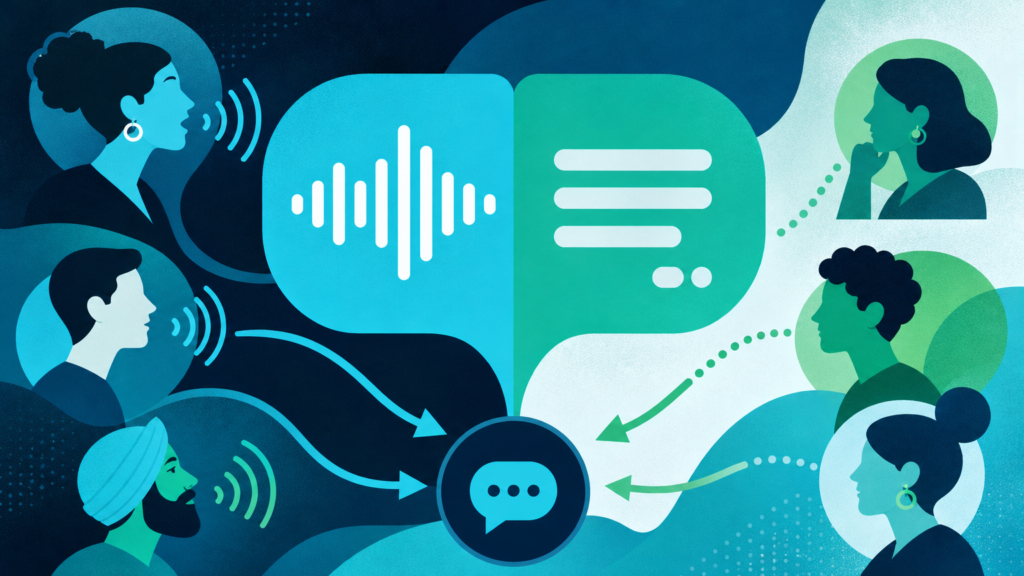
If you run a service business and rely on your website to bring in leads, you already know that fast responses matter. After reading this post, you’ll know exactly what it means for an AI chat plugin to support both voice and text. You’ll also learn how that dual capability changes who engages with your website, how many leads you capture, and whether your site is truly “open” 24/7. I’ll lay out the real benefits of having a receptionist widget that lets visitors speak or type. I’ll explain why it matters in practice, and how to decide what to look for when comparing these tools for your own business.
Why Supporting Voice and Text in Your Receptionist Widget Matters
When someone lands on your website, the gap between their question and your answer is where most leads are lost. Most chat plugins still only cover half the conversation—text. Meanwhile, nearly half (47%) of business calls happen outside traditional office hours, when nobody is at the front desk to answer live according to recent call data. People are trying to reach you by whatever means is fastest and most comfortable, night or day.
What’s the real difference when a chat widget can handle both spoken and typed questions, not just one or the other?
- Accessibility: Not every visitor can (or wants to) type. Some have disabilities, or are on mobile in settings where talking is easier. When your chat accepts voice or text, you widen your reach—plain and simple. For more on accessibility and multilingual chat, this guide sets out what to look for in a plugin.
- Speed for the visitor: Speaking is usually faster than typing. Especially on a phone, or for older adults, tapping out questions is work. Voice lets them just ask—and stick around.
- Engagement depth: People say more when they talk. A spoken question often holds extra detail about what they want, which helps you respond more specifically. You convert more leads that way.
- Preference meets context: Some visitors prefer not to type—or not to talk, depending on where they are. Giving them the choice gets more people through the door.
The practical reality: If your AI receptionist can’t support both spoken and typed chat, you’re missing leads from whole segments of your real audience. This leaves gaps that most businesses overlook until it’s too late.
What Makes a Quality AI Chat Plugin for Voice and Text?
There are all kinds of AI chat plugins. Only a few can actually answer both spoken and written questions from your site visitors—and do it in a way that feels natural, not clunky. For chat widgets that promise voice and text, here’s what separates a good fit from a headache:
- Smooth switching: Can a person start by typing and then ask their follow-up out loud, or vice versa, without restarting? Dual-mode should mean seamless—no reloading or confusion.
- No app or extra hardware needed: Good plugins run in the browser, working on mobile and desktop instantly. If the visitor needs to download anything or adjust special device settings, most won’t bother.
- Accurate voice transcription and response: If the voice part doesn’t transcribe well, your visitor will just give up and leave. Look for plugins that handle accents, filler words, and background noise with grace.
- Multilingual support: Many visitors prefer—or only speak—a language other than English. The best platforms support switching languages naturally and keep your recaps readable in English for your team.
- Consistent ai responses: Whether by voice or text, answers should come from the same knowledge base: your real website content, services, and answers. No jumping between canned scripts and chat AI.
To make evaluation easier, many turn to feature summary pages that show at a glance if both modes are covered. You can also see which devices or browsers are supported out of the box.
How Voice Changes the Game: Accessibility, Engagement, and Lead Quality
Let’s talk about what actually shifts when your widget goes from text-only to both voice and text. The good news: you don’t have to guess. Here’s what typically happens when a site adds real voice capability to its chat plugin:
- Higher accessibility standards: Voice opens the door for users with limited vision, mobility issues, or other disabilities. Compliance improves, and so does user experience for everyone else.
- More questions—and better ones: Spoken exchanges prompt richer input. A quick “Can I get an appointment tonight?” might expand into “My daughter is really sick, do you have urgent slots after 6pm?” This gets your team what they need to triage, book, or route the lead effectively.
- Meaningful increase in lead data captured: When a widget captures names, contact info, and intent as part of every exchange, you spend less time chasing incomplete leads. The best plugins even deliver a full recap instantly for speedy follow-up—critical since 58% of consumers expect a chat response within two minutes. If you’re not meeting this bar, your competitor might be.
- More leads captured after hours: When your staff’s unavailable, it’s voice+text AI that holds the line. Clinics and firms that otherwise miss evening and weekend opportunities keep those leads warm. All this happens without having to monitor the inbox around the clock.
If you want a side-by-side breakdown of how pure text, pure voice, and dual-mode widgets compare for lead capture, here’s a direct comparison focused on WordPress environments.
How Dual-Mode AI Receptionists Work: Step-by-Step
So, how does it actually work when a website visitor lands on one of these widgets? Here’s the typical journey for a true dual-mode AI chat plugin that supports both voice and text on your site:
- Visitor opens the chat widget on your site. They can immediately choose to type, speak, or even switch between the two mid-flow. They decide what’s easiest for them at that moment.
- The AI agent listens or reads their question. It draws its answers directly from your business’s real, published content. There’s no random internet knowledge or generic scripts.
- All replies are instant whether the visitor typed or spoke. If they asked out loud, the answer can be read back with an AI voice. It can also be displayed as text if they prefer to read.
- The widget collects basic contact info (name, email or phone, what they’re interested in) as part of the flow, never feeling like a sales form. This means you always have context for follow-up.
- After the conversation ends, a full recap arrives in your inbox. It includes a transcript, contact details, what they wanted, and any follow-up needed—while the lead is still fresh.
- If you’re running Salesforce, qualified leads drop straight into your CRM with a full summary. Nothing gets lost between front desk and sales pipeline.
For agencies managing multiple client accounts, plugin control and deployment details can further optimize the process of activating dual-mode AI for clients without developer lift.
Comparison: Widget Modes and Their Practical Impact
| Mode | Accessibility | Lead Capture | User Preference | After-Hours Coverage |
|---|---|---|---|---|
| Text Only | Limited (excludes some disabilities, slower on mobile) | Good for typists, but misses spoken queries | Preferable for users in quiet/shared spaces | Automated if paired with AI; can miss users who’d rather talk |
| Voice Only | Strong (supports those who can’t type) | Captures richer detail but inaccessible to those who can’t speak or are in public | Great for drivers, multitaskers, visually impaired | Automated if AI-powered, but limits private/restricted contexts |
| Voice & Text | Full (serves all visitor types) | Maximizes both quantity and quality | Fits any environment, any device, any preference | AI covers every lead, regardless of channel or hour |
Think in terms of who you’re not serving if you settle for less than full coverage. Double coverage isn’t just a technical feature—it’s a difference in how well your site performs as your digital front door.
Choosing the Right Dual-Mode Plugin: Key Questions to Ask
You don’t need to be a developer to make a good decision. Just focus on what truly matters for your workflow and your team:
- Does the plugin natively support both typing and speaking, without requiring separate widgets or code?
- Is the installation handled from your WordPress dashboard, or does it require API keys, custom embeds, or a dev’s help?
- Can you set the tone, greeting, and collection process for your business’s inbound leads?
- Are transcripts and conversation recaps sent instantly—so you don’t miss the window for a good follow-up?
- Do leads flow into your CRM automatically, or is it manual copy-paste after the fact?
For many service businesses—health, legal, home services, clinics, and more—these answers shape whether a chat plugin earns its keep or just adds another tab to monitor. Some plugins even include blog post writing and SEO tools built into the same AI, which can matter for practices competing for local searches. See how AI-powered lead capture works for professional services or review which features matter to home/trades firms for more tailored insights by industry.
Why Now? Web Visitors Expect Fast, Flexible Help—Not Excuses
Your website is often your first (and sometimes only) shot at earning a customer’s trust before your staff ever learns their name. More and more visitors expect real service, not just a contact form or half-day reply delay. In fact, 53% of US online adults have used live chat recently, and a big chunk say it’s their preferred way to reach out. Many people want the speed and ease of speaking, too. They won’t wait on hold or fill out forms if speaking is an option on your competitor’s site instead.
When you meet visitors where they are—letting them speak, type, change languages, and get instant answers from your own content—you keep your business open and responsive, even after the phones are off. Don’t settle for a widget that makes your visitors work harder than they have to.
If you’re ready for a WordPress-native AI receptionist that answers by voice and text, captures leads in any language, and sends you a full recap within seconds, get the details here.